←
←Browsers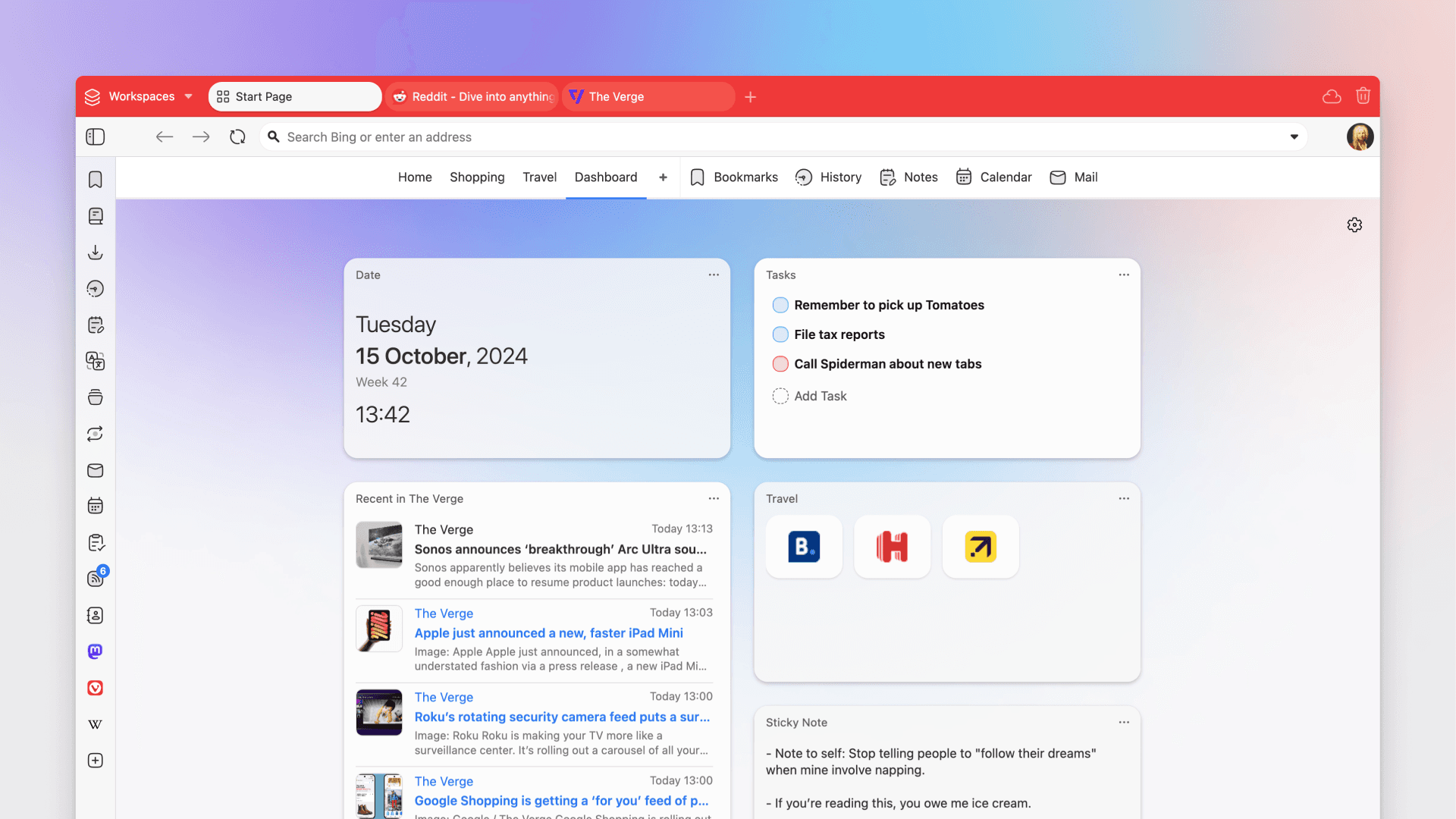
Vivaldi
EU
Get a browser that bends to your workflow, not the other way around. Built in Norway with privacy and productivity tools baked in.
NorwayFree plan
Recommended
by Switch-to.eu
by Switch-to.eu
Built-in ad and tracker blockerIntegrated email, calendar, and feed readerAdvanced tab stacking and tilingEnd-to-end encrypted syncBuilt-in Proton VPN
Vivaldi is a Norwegian browser built for people who want more control over how they browse. Founded in 2013 by Jon von Tetzchner, the former CEO of Opera, the company set out to build the browser Opera stopped being: customizable down to the pixel, packed with built-in tools, and respectful of your privacy.
Where Chrome strips things down and pushes extensions for everything, Vivaldi builds features directly into the browser. You get an email client with IMAP and POP3 support, a calendar, an RSS feed reader, and note-taking tools without installing a single add-on. Tab management goes far beyond what other browsers offer: stack related tabs together, tile them side by side, or hibernate tabs you are not using to free up memory.
Privacy is baked in. Vivaldi blocks ads and trackers by default, stores sync data on its own servers in Iceland with end-to-end encryption, and includes a built-in Proton VPN integration. The company is employee-owned with about 60 people across 7 countries. No outside investors, no pressure to monetize your data.
The customization options go further than any other browser. Change your toolbar layout, set up keyboard shortcuts, assign mouse gestures, and have the theme colors adapt to whatever site you are visiting. If a feature exists in Vivaldi, there is a setting to change how it works.
Worth knowing
Vivaldi is not fully open source. The Chromium engine and C++ backend code are published, but the UI layer is proprietary (though moddable). Each installation sends a daily ping to Vivaldi servers with anonymized technical info to count active users. Some Google-connected features like search suggestions ship enabled by default, though you turn them off in settings. The sheer number of options means there is a learning curve. If you want a minimal browser you set up in two minutes, Vivaldi is not that.
Ready to try Vivaldi?
Try it free or follow our step-by-step migration guide to make the switch.
Similar Services
Missing a service?
Know an EU alternative that should be listed here? Tell us about it and we'll look into adding it.